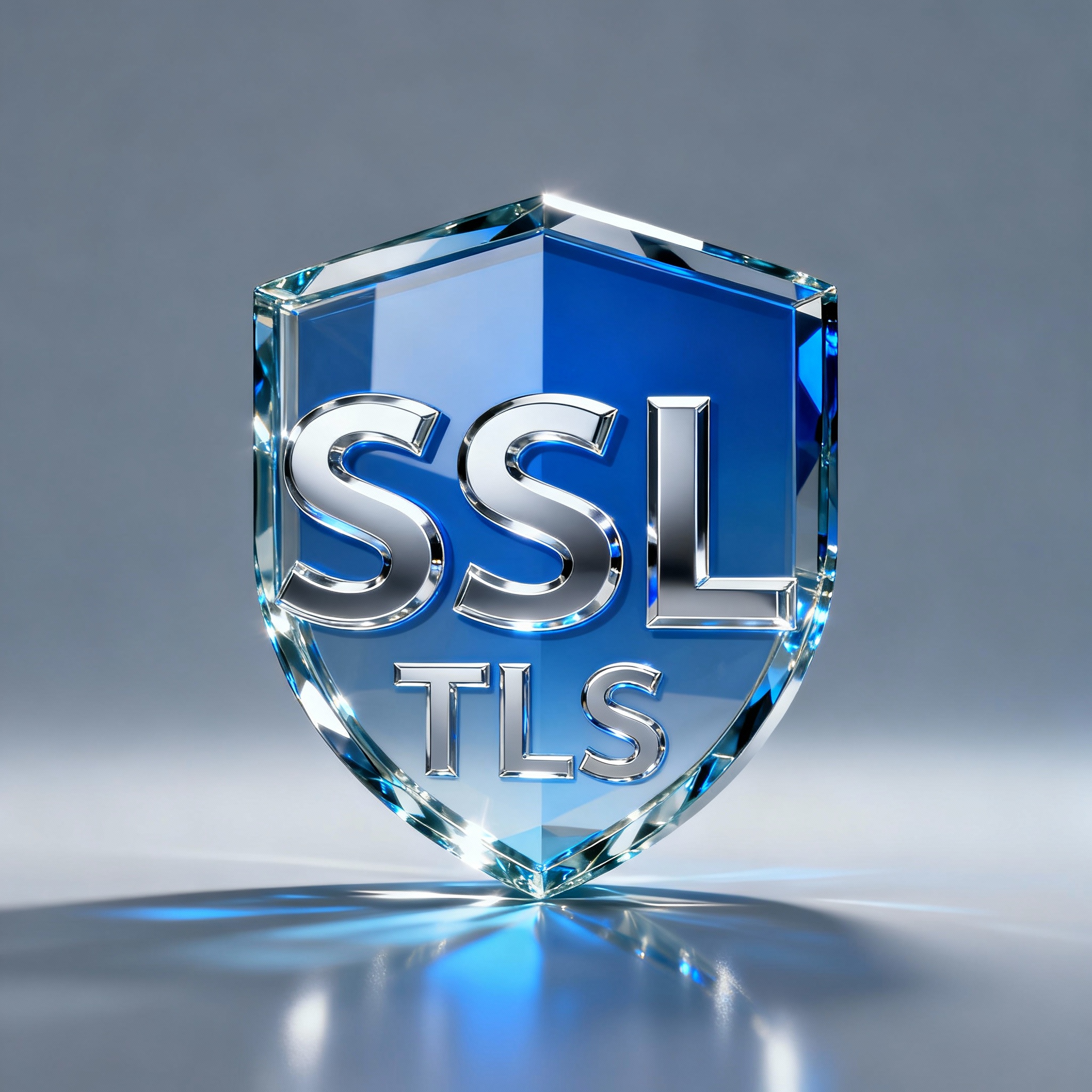
Understanding the complete history of SSL/TLS protocol versions and why version matters for security
Meta Information
Description: Learn about SSL and TLS protocol versions—from SSL 1.0 to TLS 1.3. Understand version history, security improvements, and why version choice matters.
Target Audience: IT professionals, security engineers, developers, network administrators, security-conscious users
Reading Time: 14-16 minutes
Difficulty Level: Intermediate
Introduction
When you browse a website with HTTPS, connect to a VPN, or access your bank online, you’re using SSL or TLS to encrypt your connection. But there’s something important you might not realize: not all SSL/TLS versions are created equal.
Over the past 30 years, SSL and TLS have evolved dramatically. New versions were released to fix security vulnerabilities, add features, and improve performance. Some versions were bulletproof. Others had critical flaws that attackers could exploit.
Today’s security landscape is vastly different from 1994 when Netscape released the first SSL protocol. Understanding the evolution of these protocols—from SSL 1.0 through TLS 1.3—is essential for anyone making decisions about which versions to support, which to deprecate, and how to balance security with accessibility.
This guide walks through the complete history of SSL/TLS versions, explains what changed between each version, and clarifies which versions you should be using today.
Key Takeaway: SSL/TLS versions represent an ongoing evolution driven by discovered vulnerabilities and cryptographic advances. Security engineers must balance supporting the latest (most secure) versions with maintaining accessibility for users with older devices.
SSL vs. TLS – The Naming Confusion Explained
Before exploring individual versions, let’s clarify the naming terminology that confuses many people.
What’s the Difference Between SSL and TLS?
The Short Answer: The terms “SSL” and “TLS” refer to the same protocol family, just under different names from different organizations.
The History:
| Period | Protocol Name | Maintainer | Status |
|---|---|---|---|
| 1994-1999 | SSL (Secure Sockets Layer) | Netscape | Proprietary |
| 1999 onward | TLS (Transport Layer Security) | IETF (Internet Engineering Task Force) | Public standard |
| Today | Both used interchangeably | IETF maintains | Industry standard |
What Happened:
In 1994, Netscape invented and released SSL (Secure Sockets Layer). They kept tight control over the protocol as a competitive advantage. Later, in 1999, Netscape handed over control to the IETF (Internet Engineering Task Force)—a public internet standards organization.
When the IETF took over, they renamed the protocol to TLS (Transport Layer Security) to reflect its new public status and emphasize that it secures data transport at the protocol layer.
Why Both Names Persist
Even though the world now officially uses TLS, you’ll commonly hear:
- “SSL certificates” (technically should be “TLS certificates”)
- “SSL/TLS” (both terms together, acknowledging the overlap)
- “SSL VPN” (legacy naming that persists)
- “SSL protocol” (older terminology that hasn’t died)
In Practice: When someone says “SSL,” they usually mean the entire SSL/TLS protocol family. When precision matters, version numbers are specified (SSL 3.0, TLS 1.2, TLS 1.3).
Official Status Today
The world officially uses TLS (not SSL). However:
- The term “SSL” hasn’t disappeared—it’s embedded in industry vocabulary
- Security professionals use both terms understanding their synonymy
- Documentation often uses “SSL/TLS” to cover both
- When you see “SSL,” assume it includes TLS as well
The Complete Timeline – From SSL 1.0 to TLS 1.3
Understanding the evolution of SSL/TLS requires understanding why each new version was created and what problems it solved.
SSL Version 1.0 (1994) – The Beginning
Released: 1994 by Netscape
Context: The early internet was completely unencrypted. Netscape saw an opportunity to add security and achieve a competitive advantage against Internet Explorer and AOL.
Result: Netscape won the race and released SSL 1.0 in 1994.
Major Problem: SSL 1.0 was never actually released publicly. Netscape kept it proprietary and maintained it themselves as a competitive secret.
Security Status: Completely Insecure — SSL 1.0 contained numerous fundamental flaws that made it unsuitable for protecting data.
Legacy: Netscape quickly realized the flaws and went back to the drawing board.
SSL Version 2.0 (1995) – Complete Redesign
Released: 1995 by Netscape (one year after SSL 1.0)
Context: After discovering SSL 1.0 was fundamentally flawed, Netscape conducted a complete redesign.
Major Changes:
- Completely new architecture from SSL 1.0
- Attempted to fix all known vulnerabilities from version 1.0
- Introduced new security mechanisms
Result: While better than SSL 1.0, SSL 2.0 still contained critical security flaws.
Security Status: Completely Insecure — Despite the redesign, SSL 2.0 had vulnerabilities that made it unsuitable for sensitive data.
Why It Failed: The cryptographic designs and implementation approaches had fundamental weaknesses that became apparent as security researchers analyzed the protocol.
Impact: Netscape once again returned to the drawing board for the third attempt at a secure protocol.
SSL Version 3.0 (1996) – The Foundation We Still Use
Released: 1996 by Netscape (one year after SSL 2.0)
Context: After two failed attempts, Netscape conducted another complete redesign with a focus on solid cryptographic principles.
Major Achievements:
- Third time proved to be the charm—SSL 3.0 worked
- Introduced foundation still used today
- Became the predominant SSL/TLS version for 18 years (1996-2014)
Major Features Introduced:
| Feature | Importance | Details |
|---|---|---|
| Certificate Chains | Critical | Scaled SSL to the world; enables trust hierarchies |
| Optional Compression | Problematic | Later found to have vulnerabilities; rarely used |
| Multiple Key Exchange Protocols | Important | Introduced Diffie-Hellman alongside RSA |
Certificate Chains Explained:
Prior to SSL 3.0, each entity needed direct trust relationships with every other entity. Certificate chains enabled a hierarchical trust model where a central Certificate Authority could vouch for multiple entities. This was essential for scaling SSL to the entire internet.
Additional Key Exchange Protocols:
SSL 2.0 only supported RSA key exchange. SSL 3.0 made this optional, allowing Diffie-Hellman as an alternative. This flexibility improved both security and performance.
Security Status: Secure (for its time)—SSL 3.0 was solid enough to become the foundation for all TLS versions that followed.
Specification: SSL 3.0 specification available in RFC 6101 (a historical document).
Longevity: SSL 3.0 remained the predominant protocol from 1996 through 2014—18 years of use shows its relative stability compared to versions 1.0 and 2.0.
The Version Numbering Scheme – Why TLS 1.0 Has Major Version 3
Here’s something that confuses many people:
Version Numbers Explained:
| Version | Major | Minor | Meaning |
|---|---|---|---|
| SSL 2.0 | 2 | 0 | Complete redesign from SSL 1.0 |
| SSL 3.0 | 3 | 0 | Complete redesign from SSL 2.0 |
| TLS 1.0 | 3 | 1 | Incremental update to SSL 3.0 |
| TLS 1.1 | 3 | 2 | Incremental update to TLS 1.0 |
| TLS 1.2 | 3 | 3 | Incremental update to TLS 1.1 |
| TLS 1.3 | 3 | 4 | Major redesign (new thinking) |
Key Insight: TLS 1.0 doesn’t have “major version 4” because it’s not a complete redesign—it’s an incremental update to SSL 3.0. TLS 1.0, 1.1, and 1.2 all inherit SSL 3.0’s major version (3) with incrementing minor versions.
Why This Matters: Understand that TLS 1.0, 1.1, and 1.2 are all relatively similar—they’re the same foundational protocol with patches and improvements. TLS 1.3 breaks from this pattern as a more substantial redesign.
TLS Version 1.0 (1999) – Standardization and Transition
Released: 1999 by IETF
Context: Netscape handed ownership of SSL 3.0 to IETF (Internet Engineering Task Force) for public standardization.
Major Change: The only immediately obvious change was the name—from SSL to TLS.
Technical Improvements:
- Introduced HMAC support (strengthened message authentication)
- Made additional key exchange protocols mandatory (not optional)
- Formalized the protocol specifications
Specification: RFC 2246
Vulnerability: The BEAST Attack (Browser Exploit Against SSL/TLS)
- Targeted CBC (Cipher Block Chaining) ciphers
- Could be used to decrypt traffic in certain conditions
- Mitigated by modern browsers through implementation workarounds
Security Status: Deprecated as of March 2021—No longer recommended for public internet use.
Current Status:
- Officially deprecated by compliance boards
- Browsers are removing support
- Using TLS 1.0 fails compliance certifications (HIPAA, PCI-DSS, NIST)
- Support will fade over the next 1-2 years
IMAGE PLACEMENT: Timeline showing SSL/TLS version releases and deprecation dates
TLS Version 1.1 (2006) – CBC Attack Protection
Released: 2006 by IETF
Context: Seven years after TLS 1.0, improvements were needed to address known vulnerabilities.
Major Improvements:
| Improvement | Benefit | Details |
|---|---|---|
| CBC Attack Protection | Security | Mitigated BEAST attack vulnerability |
| Deprecated Export-Grade Ciphers | Security | Removed weak encryption options |
Export-Grade Ciphers:
During the 1990s, the U.S. government restricted export of strong encryption. Protocols had to support deliberately weak “export-grade” ciphers. By 2006, this restriction was obsolete and these weak ciphers were formally deprecated.
Specification: RFC 4346
Security Status: Deprecated as of March 2021—Like TLS 1.0, no longer recommended.
Compliance: Using TLS 1.1 fails modern compliance certifications.
Timeline: Support for TLS 1.1 is being phased out but will take time due to legacy devices.
Important Note: The deprecation of TLS 1.0 and 1.1 was planned for summer 2020 but was delayed until March 2021 due to COVID-19 pandemic impacts on IT infrastructure worldwide.
TLS Version 1.2 (2008) – The Modern Standard
Released: 2008 by IETF
Context: Fourteen years after SSL 3.0 was released, significant improvements were needed for modern security.
Major Improvements:
| Improvement | Benefit | Technical Detail |
|---|---|---|
| AEAD Ciphers | Security | Authenticated Encryption with Associated Data |
| Improved Session Key Generation | Security | Stronger random key creation |
| Stronger Default Algorithms | Security | More secure defaults for backward compatibility |
AEAD Ciphers Explained:
Before AEAD, encryption and authentication were separate steps:
textEncryption Step → Data encrypted
Authentication Step → Signature added

Problem: Weak implementation of one doesn't affect strong implementation of other
(could compromise overall security)
With AEAD ciphers, both operations occur in one integrated step:
textAEAD Cipher Step → Data encrypted AND authenticated simultaneously

Benefit: Single failure point mitigated; both operations are equally strong
Specification: RFC 5246
Security Status: Secure and Recommended—TLS 1.2 is considered secure by modern standards.
Current Position: TLS 1.2 is the current industry standard and widely deployed.
Usage: Approximately 99% of web servers support TLS 1.2 (as of 2021).
Expected Lifespan: TLS 1.2 will remain in use for many more years, likely through the 2020s.
Best Practice: Use TLS 1.2 as a minimum security requirement today.
TLS Version 1.3 (2018) – Modern Redesign
Released: 2018 by IETF
Context: After a decade of TLS 1.2 use, security engineers redesigned TLS with modern cryptography and a different philosophy.
Philosophical Shift: TLS 1.3 prioritizes security and simplicity over backward compatibility.
This is a major departure. Previous versions tried to support older protocols. TLS 1.3 says: support the secure versions; drop the insecure ones.
Major Improvements:
| Improvement | Benefit | Technical Detail |
|---|---|---|
| Shorter Handshake | Performance | 2 messages instead of 5+ |
| 0-RTT Resumption | Performance | Send first data in same packet as handshake |
| Mandatory Forward Secrecy | Security | Requires Perfect Forward Secrecy (PFS) |
| AEAD Cipher Requirement | Security | Only authenticated encryption supported |
| Removed Insecure Algorithms | Security | No weak ciphers, no RC4, no SHA-1 |
Shorter Handshake—Big Impact:
textTLS 1.2 Handshake:
1. Client Hello
2. Server Hello + Certificate
3. Server Key Exchange
4. Server Hello Done
5. Client Key Exchange
6. Change Cipher Spec
7. Finished messages

TLS 1.3 Handshake:
1. Client Hello (with key share)
2. Server Hello (with key share) + Handshake Done

Result: Faster connections, less latency
0-RTT (Zero Round-Trip Time):
TLS 1.3 allows sending encrypted data in the first packet of a resumed session. This dramatically speeds up reconnections.
Forward Secrecy Requirement:
Forward secrecy ensures that if a server’s private key is compromised in the future, past sessions remain protected. TLS 1.3 makes this mandatory for all connections.
Specification: RFC 8446
Adoption: Approximately 45% of web servers support TLS 1.3 as of 2021 (growing rapidly).
Best Practice: Support TLS 1.3 for new implementations.
Expected Lifespan: TLS 1.3 is designed to remain secure for decades.
Version Support in the Real World – What the Internet Actually Uses
Understanding version history is important, but practical knowledge matters more. Let’s look at what versions are actually deployed on the internet.
H3: SSL Labs Pulse Report – Real-World Statistics
Data Source: SSL Labs polls the entire internet and publishes the “SSL Pulse” report showing version support across millions of web servers.
May 2021 Statistics:
| Version | Support Level | Status | Recommendation |
|---|---|---|---|
| TLS 1.2 | ~99% | Standard | Required minimum |
| TLS 1.3 | ~45% | Emerging | Support when possible |
| TLS 1.1 | ~50% | Deprecated | Avoid if possible |
| TLS 1.0 | ~40% | Deprecated | Remove support |
| SSL 3.0 | <1% | Insecure | Never support |
Why Percentages Don’t Add to 100%:
A single website can support multiple versions. For example:
textWebsite A supports: TLS 1.2 + TLS 1.3
Website B supports: TLS 1.1 + TLS 1.2
Website C supports: TLS 1.0 + TLS 1.1 + TLS 1.2
Each version is counted separately, so adding percentages exceeds 100%.
The POODLE Attack – How Vulnerabilities Drive Deprecation
Scenario: Let’s look at a real-world example of how version support changes.
November 2014 Statistics (Before POODLE):
- SSL 3.0 support: ~100% of web servers
- TLS 1.0 support: ~90%
- TLS 1.1 support: ~85%
- TLS 1.2 support: ~40%
October 2014 Event: The POODLE (Padding Oracle On Downgraded Legacy Encryption) attack was discovered.
What POODLE Did:
- Allowed attackers to decrypt SSL 3.0 traffic
- Forced downgrade from newer TLS to SSL 3.0
- Then exploited SSL 3.0 weaknesses to read encrypted data
Immediate Response – November 2014 Statistics (One Month Later):
- SSL 3.0 support: ~60% (dropped 40 percentage points!)
- TLS 1.0 support: ~89%
- TLS 1.1 support: ~87%
- TLS 1.2 support: ~50% (increasing)
IMAGE PLACEMENT: Bar chart showing POODLE attack impact on SSL 3.0 support with before/after comparison
Lesson: When a critical vulnerability is discovered, version support can change dramatically as administrators disable the vulnerable protocol version.
The Security Ecosystem – How Versions Change Over Time
Key Pattern: Major shifts in version support occur when vulnerabilities are discovered that make a version insecure.
Timeline Pattern:
- Stable Period: Version works fine, widespread adoption
- Vulnerability Discovery: Security researchers find critical flaw
- Rapid Deprecation: Admins quickly disable vulnerable version
- Long Tail: Some legacy devices still support old version
- Complete Removal: After years, vulnerable version effectively unused
Example: SSL 3.0 Journey
text1996: Released (secure for time)
1996-2014: Stable, widely used
October 2014: POODLE attack discovered
November 2014: Support drops from ~100% to ~60%
2015-2018: Slow decline, legacy devices still support
2018+: Effectively unused except legacy systems
Today: Considered completely insecure
Security Engineering Decision – Which Versions Should You Support?
Understanding version history is one thing. Making decisions about which versions to support is another.
The Central Tension – Security vs. Accessibility
As a security engineer, you face a fundamental trade-off:
Maximum Security Approach:
textSupport: TLS 1.3 only
Benefit: Most secure configuration
Cost: Blocks users with older devices/browsers
Result: Smaller user base, maximum security
Maximum Accessibility Approach:
textSupport: TLS 1.0, 1.1, 1.2, 1.3
Benefit: Works with oldest devices
Cost: Vulnerable to older attacks
Result: Larger user base, reduced security
Reality: Most organizations use a balanced middle approach.
Decision Framework – Case-by-Case Analysis
Your choice depends on what you’re protecting and who you’re protecting it for.
Case 1: Public Information (e.g., Wikipedia)
Scenario: A website hosting publicly available information (not sensitive data)
Decision Factors:
- Users: Diverse global audience with older devices
- Data Sensitivity: Low
- Compliance Requirements: Minimal
Recommended Approach:
textSupport: TLS 1.2 + TLS 1.3
Avoid: TLS 1.0, 1.1 (deprecated)
Rationale:
- TLS 1.2 reaches ~99% of modern browsers
- Some older devices still unable to connect
- But public data doesn't justify blocking users
- TLS 1.1 support would violate compliance standards
Case 2: Financial Institution (e.g., Bank)
Scenario: A bank protecting customer financial data
Decision Factors:
- Users: Mostly modern business users and consumers
- Data Sensitivity: Extremely high
- Compliance Requirements: Strict (PCI-DSS, SOX, etc.)
Recommended Approach:
textSupport: TLS 1.2 + TLS 1.3
Require: TLS 1.2 minimum
Block: TLS 1.0, 1.1, SSL 3.0
Rationale:
- Compliance standards explicitly forbid TLS 1.0/1.1
- Financial data justifies requiring modern clients
- Users expect to use current browsers/devices
- Modern TLS versions are mandatory for legal compliance
Case 3: Legacy Healthcare System
Scenario: Internal medical records system with aging infrastructure
Decision Factors:
- Users: Internal staff with mixed equipment
- Data Sensitivity: Extremely high (HIPAA regulated)
- Compliance Requirements: Strict (HIPAA)
- Legacy Systems: Many cannot upgrade easily
Recommended Approach:
textSupport: TLS 1.2 + TLS 1.3 (primary)
Support: TLS 1.1 (legacy, with strong pressure to upgrade)
Block: TLS 1.0, SSL 3.0
Rationale:
- HIPAA compliance requires TLS 1.2 minimum (as of 2021)
- But legacy medical devices may not support it
- Require upgrade path with timeline
- Do not support truly insecure versions
- Balance patient safety (secure systems) with operational reality
Industry Best Practices
General Recommendations:
Minimum Configuration (2025 Standards):
- Support: TLS 1.2 + TLS 1.3
- Minimum: TLS 1.2 (require in handshake)
- Do Not Support: TLS 1.0, 1.1, SSL 3.0
Optimal Configuration:
- Support: TLS 1.3 (primary)
- Support: TLS 1.2 (compatibility)
- Minimum: TLS 1.2 (enforce via policies)
- Do Not Support: Anything older
Legacy/Compatibility Configuration:
- Support: TLS 1.2 + TLS 1.3
- Support: TLS 1.1 (marked for deprecation)
- Timeline: Remove TLS 1.1 support within 12 months
- Do Not Support: TLS 1.0, SSL 3.0
Key Principles:
- Never support SSL 3.0 or earlier (completely insecure)
- Do not support TLS 1.0 or 1.1 (deprecated)
- Support TLS 1.2 minimum (industry standard)
- Support TLS 1.3 for new implementations (future-proof)
- Document your version policy and deprecation timeline
Why Version Matters – Real-World Attack Examples
Understanding version history is educational, but understanding why versions matter is practical.
The BEAST Attack (TLS 1.0 Vulnerability)
The Attack: Browser Exploit Against SSL/TLS
Target: TLS 1.0 (and SSL 3.0)
Vulnerability: CBC (Cipher Block Chaining) mode weakness
How It Worked:
- Attacker injected traffic into browser connection
- Used CBC mode predictability to decrypt TLS 1.0 traffic
- Could extract cookies and session tokens
Why It Matters: Shows why TLS versions need updating—new attacks require new defenses.
Fix: TLS 1.1+ includes protections against BEAST attack.
The POODLE Attack (SSL 3.0 Vulnerability)
The Attack: Padding Oracle On Downgraded Legacy Encryption
Target: SSL 3.0 (could force downgrade from newer versions)
Vulnerability: Padding oracle attack on SSL 3.0 implementation
How It Worked:
- Modern browser tried to connect with TLS 1.2
- Attacker intercepted and forced connection downgrade to SSL 3.0
- Exploited SSL 3.0 padding vulnerability
- Decrypted previously encrypted traffic
Why It Matters: Shows why supporting old versions creates risk even if newer versions are available.
Result: SSL 3.0 support dropped from ~100% to ~60% within one month.
Export Cipher Vulnerabilities
The Issue: 1990s U.S. export restrictions required weak encryption
Export-Grade Ciphers:
- Deliberately weakened encryption
- Satisfied U.S. government export restrictions
- Completely insecure by modern standards
Why It Matters: TLS 1.1 formally deprecated export-grade ciphers because they were so weak attackers could easily break them.
Lesson: Even if old protocols/ciphers are technically “supported,” they shouldn’t be used if better alternatives exist.
The Future – Where SSL/TLS is Heading
TLS 1.3 Adoption Trajectory
Current State (2021-2025):
- TLS 1.3 support: Growing rapidly (45% → approaching 70%+)
- Early adopters leading deployment
- Emerging standard for new services
Expected Timeline:
| Year | Expected State | Actions |
|---|---|---|
| 2023-2024 | ~70% support | New implementations mandatory |
| 2024-2025 | ~85% support | TLS 1.2 still required but declining |
| 2025-2026 | ~95% support | TLS 1.2-only configurations become legacy |
| 2026+ | >95% support | TLS 1.2 may begin deprecation process |
Post-Quantum Cryptography
The Long-Term Concern: Quantum computers could break current encryption
Impact: Even if quantum computers don’t exist yet, data encrypted today could be stored and decrypted with future quantum computers.
Response: Post-quantum cryptography research is ongoing
Timeline: Likely future versions (TLS 1.4 or later) may include quantum-resistant algorithms.
Current State: Pre-research and standardization phase; not yet ready for deployment.
Simplification Philosophy
TLS 1.3 Trend: Removes backward compatibility in favor of security
Expected Continuation: Future versions may:
- Remove more legacy algorithms
- Simplify protocol complexity
- Prioritize security over compatibility
- Deprecate weak algorithms faster
Result: Cleaner, simpler, more secure protocols over time.
Key Takeaways
- SSL vs. TLS: Both terms refer to the same protocol family. SSL (Netscape) → TLS (IETF). Today, we officially use TLS, but “SSL” persists in common usage.
- Three Completely Redesigns: SSL 1.0 → SSL 2.0 → SSL 3.0 were three complete rewrites to fix fundamental flaws.
- Foundation Remains: TLS 1.0, 1.1, 1.2 are incremental updates to SSL 3.0 (released 1996). They share the same major version (3).
- TLS 1.3 is Different: Released 2018, TLS 1.3 is a major redesign prioritizing security over backward compatibility.
- Version Support Varies: Not all websites support all versions. Configure based on your security needs and user base.
- POODLE Case Study: October 2014 vulnerability caused SSL 3.0 support to drop from ~100% to ~60% in one month, showing how attacks drive deprecation.
- Deprecated Versions (as of 2021):
- TLS 1.0 and 1.1: No longer recommended
- Fail compliance certifications (HIPAA, PCI-DSS, NIST)
- Support will fade over 1-2 years
- Current Standard (2025):
- Minimum: TLS 1.2
- Recommended: TLS 1.2 + TLS 1.3
- ~99% support for TLS 1.2
- ~45-70% support for TLS 1.3
- Security vs. Accessibility: Choose versions based on data sensitivity and user needs. Financial institutions require TLS 1.2+. Public websites might support older versions.
- Never Support: SSL 3.0 or earlier (completely insecure), and avoid TLS 1.0/1.1 (deprecated).
- Future Direction: TLS 1.3 represents the future—simpler, faster, and prioritizing security over compatibility.
- Vulnerabilities Drive Change: BEAST attack (TLS 1.0) and POODLE attack (SSL 3.0) show why versions matter—each brings new defenses.
Practical Recommendations for Security Engineers
Configuration Best Practices
For New Implementations:
textSupported Versions: TLS 1.3, TLS 1.2
Minimum Version: TLS 1.2
Disabled Versions: Everything else
Cipher Suites: AEAD only (no legacy ciphers)
For Existing Systems with TLS 1.1:
textCurrent Support: TLS 1.0, 1.1, 1.2
Deprecation Plan: Remove TLS 1.0 now, 1.1 within 12 months
Target: TLS 1.2 minimum by [date]
Communication: Notify users of deprecation timeline
For Legacy Systems:
textDocument: All supported versions
Compliance: Ensure meets regulatory requirements
Timeline: Create upgrade path to TLS 1.2+
Assessment: Evaluate if legacy support is actually needed
Audit Checklist
- Identify all TLS versions currently supported
- Verify minimum version meets compliance requirements
- Assess user base to determine version support needs
- Create timeline for deprecating old versions
- Test TLS 1.3 support (if not already enabled)
- Document version policy and update regularly
- Monitor SSL Labs Pulse for industry trends
- Review and update quarterly as standards evolve
Connecting the Full SSL/TLS Series
This completes your understanding of SSL/TLS protocol versions:
Full SSL/TLS Fundamentals Series:
- Part 1: SSL, TLS, and HTTPS Explained
- Part 2: How SSL and TLS Protect Your Data
- Part 3: Anti-Replay and Non-Repudiation
- Part 4: SSL and TLS Versions (This Post)
Recommended Next Topics:
- Part 5 (Suggested): The TLS 1.3 Handshake Deep Dive
- Part 6 (Suggested): Cipher Suites and Algorithm Selection
- Part 7 (Suggested): Certificate Management and PKI
Conclusion
The evolution of SSL and TLS represents 30 years of cryptographic development, security research, and practical internet deployment. From SSL 1.0’s fundamental flaws through TLS 1.3’s modern redesign, each version reflects the state of security knowledge at its time.
Understanding this history isn’t just academic—it’s practical knowledge security engineers use daily:
- Deciding which versions to support
- Assessing which vulnerabilities matter
- Planning deprecation timelines
- Balancing security with accessibility
The trajectory is clear: older versions (SSL 1.0-2.0, TLS 1.0-1.1) are insecure and deprecated. The current standard (TLS 1.2) works reliably and remains secure. The future (TLS 1.3 and beyond) prioritizes simplicity and security over backward compatibility.
For security professionals, the message is consistent: support TLS 1.2 as a minimum, encourage TLS 1.3 adoption, and never support protocols known to be insecure. Let data sensitivity, compliance requirements, and user needs guide your specific decisions.
Additional Resources and Next Steps
To Deepen Your Knowledge:
- Study RFC documents directly (RFCs 2246, 5246, 8446)
- Follow SSL Labs Pulse reports quarterly
- Research individual attacks (BEAST, POODLE, etc.)
- Study TLS 1.3 specification for modern design philosophy
- Explore cipher suite selection and AEAD algorithms
Practical Tools:
- SSL Labs Server Test: ssllabs.com/ssltest
- testssl.sh: Comprehensive TLS scanner
- nmap: Can identify supported TLS versions
- OpenSSL: Test TLS connectivity and versions
- Wireshark: Capture and analyze TLS handshakes
Recommended Reading:
- “The Illustrated TLS 1.3 Connection” (online guide)
- RFC 8446 (TLS 1.3 specification)
- SSL Labs Pulse Reports (monthly internet surveys)
- NIST Cybersecurity Framework guidelines
- Security advisory bulletins (CISA, NSA)
Certifications Covering This Topic:
- CompTIA Security+
- Certified Information Systems Security Professional (CISSP)
- Certified Ethical Hacker (CEH)
- GIAC Security Essentials (GSEC)
- Offensive Security Certified Professional (OSCP)
Security Conferences and Resources:
- Black Hat USA (security research)
- DEF CON (hacker conference, security talks)
- RSA Conference (cryptography and security)
- OWASP (application security)
- Internet Engineering Task Force (IETF) meetings