Master the fundamentals of secure internet communication—from HTTPS websites to VPN connections
Meta Information
Description: Understand SSL and TLS protocols—how they create secure tunnels for HTTPS websites and VPN connections. Complete guide for IT professionals and developers.
Target Audience: IT professionals, developers, network administrators, security-conscious users, career changers
Reading Time: 10-12 minutes
Difficulty Level: Beginner to Intermediate
Introduction
When you browse the web, send an email, or access your bank account online, your data travels across the internet through dozens of routers owned by different Internet Service Providers (ISPs). Once your data leaves your computer, you have no control over it—it could potentially be intercepted, read, or modified by anyone with access to these routers.
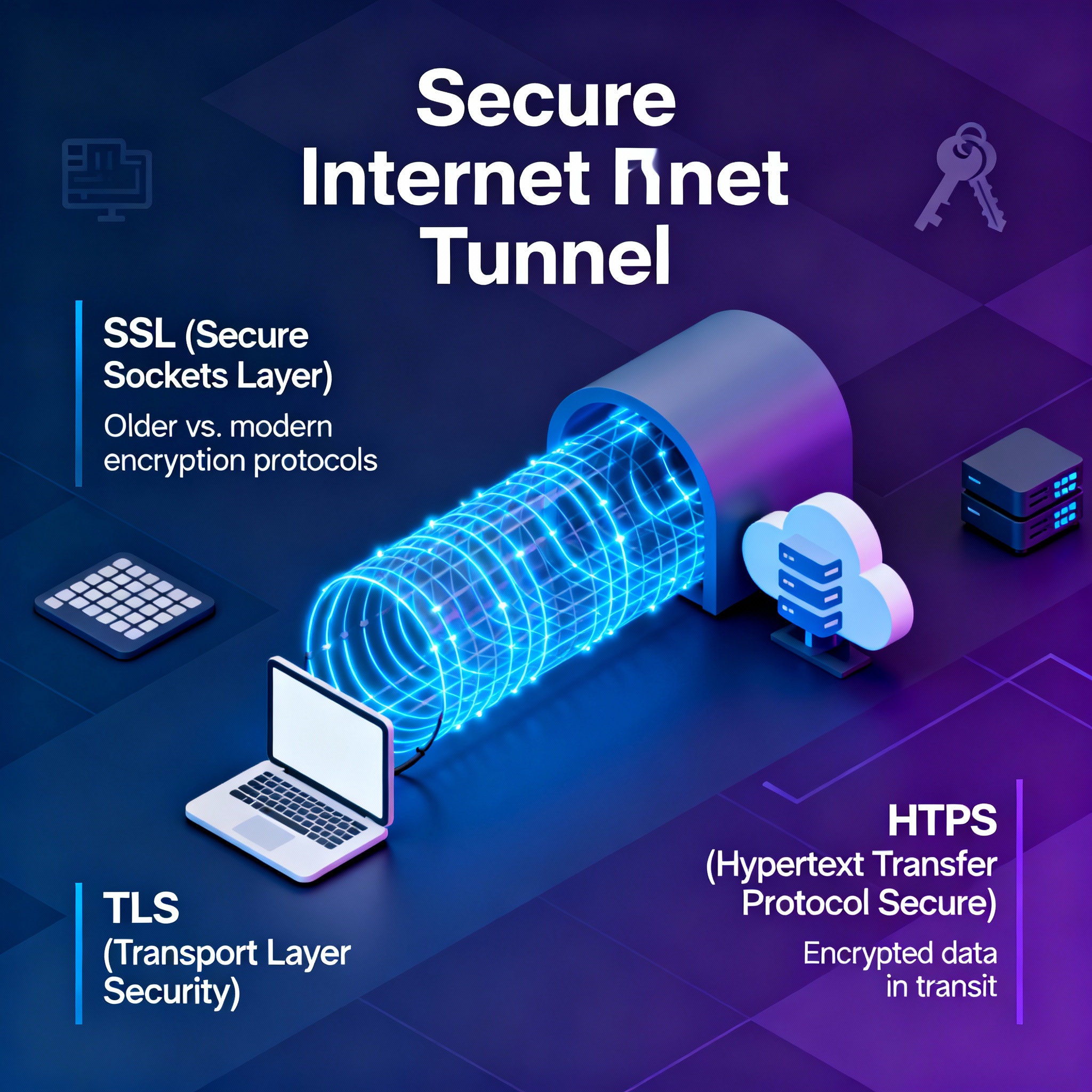
This vulnerability is why SSL (Secure Sockets Layer) and TLS (Transport Layer Security) exist. These protocols create secure, encrypted tunnels across the internet, protecting your sensitive information from prying eyes.
Whether you’re accessing an HTTPS website, connecting to a corporate VPN, or using a public VPN service, SSL/TLS is working behind the scenes to keep your data safe. Understanding how these protocols work is essential for anyone working in IT, cybersecurity, or web development.
Key Takeaway: SSL and TLS are encryption protocols that create protected tunnels across the internet, enabling secure communication between clients and servers.
The Problem—Unencrypted Data on the Internet
Before diving into SSL and TLS solutions, it’s crucial to understand the problem they solve.
How the Internet Actually Works
The internet is often visualized as a simple cloud, but it’s actually a complex network of interconnected routers. Here’s the reality:
The Internet Infrastructure:
- Dozens of routers owned by different ISPs are connected together
- When you send data, it travels from router to router across the internet
- Each router in the path is operated by a different Internet Service Provider
- Your data is literally in the hands of all these ISPs as it travels to its destination
The Critical Problem: Once you put data on the wire, you lose control over it. Any ISP managing a router in the data path could potentially see, intercept, or modify your information.
How Traditional Websites Work (HTTP)
Most internet traffic consists of websites. Understanding how traditional websites work—and their security weakness—is essential context for understanding SSL/TLS.
The Traditional Website Flow:
- Client Request: Your browser sends an HTTP request to the web server
- Server Response: The server responds with an HTML page
- Data Transfer: The HTML and all its contents travel across the internet, router by router
- Browser Rendering: Your browser receives and displays the page
Example HTTP Request:
textGET /index.html HTTP/1.1
Host: site.com
The server responds with the HTML page—which is just text with tags and content meant for display in a web browser.
The Critical Security Gap
Here’s the dangerous part: no encryption happens in traditional HTTP communication.
The HTML page you receive is literally the same text that was sent across the internet. If a website is simply displaying information (like blog posts or news articles), this might not seem problematic. However, websites often request sensitive information from users:
Information Often Transmitted Unencrypted:
- Usernames and passwords
- Credit card numbers
- Bank account information
- Personal identification numbers
- Health information
- Private messages
If a user enters this information into an HTTP form, it’s sent across the internet in plain text. Anyone with access to a router in the transmission path can see this information.
Why Modern Browsers Warn You
If you try to enter sensitive information on an HTTP (not HTTPS) website, modern browsers display a warning. This isn’t a glitch—it’s a critical security alert. The browser is warning you that your data will be sent unencrypted across the internet.
This is the fundamental problem that SSL and TLS solve.
What Are SSL and TLS? The Solution
SSL and TLS are protocols designed specifically to address the security vulnerabilities of unencrypted internet communication.
The Core Function—Building a Secure Tunnel
SSL/TLS creates an encrypted tunnel across the internet that protects data traveling between client and server.
How the Secure Tunnel Works:
- Tunnel Establishment: Client and server establish a secure connection using SSL/TLS handshake
- Encryption: All data passing through the tunnel is encrypted
- Protected Transmission: Encrypted data travels safely across the internet
- Decryption: Only the intended recipient can decrypt and read the data
- Protection: Even if ISPs intercept the data, they see only encrypted gibberish, not readable information
The Result: Even though your data still travels through multiple routers owned by different ISPs, it’s protected inside an encrypted tunnel. ISPs can see that data is being transferred, but they cannot read or modify the contents.
Understanding the SSL vs. TLS Naming Confusion
There’s often confusion about SSL and TLS because these terms are used interchangeably, despite referring to technically different versions of the protocol. Here’s why:
The History:
| Timeline | Event | Details |
|---|---|---|
| 1994 | Netscape Creates SSL | SSL (Secure Sockets Layer) was created to bring encryption to the internet |
| 1999 | IETF Takes Over | Internet Engineering Task Force takes over protocol maintenance |
| 1999+ | Protocol Renamed | IETF renames the protocol to TLS (Transport Layer Security) |
| Today | Continued Use | Both terms persist; people use them interchangeably |
Why Two Names?
- SSL: The original protocol created by Netscape
- TLS: The name given to the protocol when IETF took over maintenance
They refer to the same family of protocols, just under different names and versions.
Modern Reality: Today, we primarily use TLS versions (TLS 1.2, TLS 1.3), but the term “SSL” still persists in common usage. People often refer to SSL/TLS as a single concept, and this is perfectly acceptable.
Key Point: You can consider SSL and TLS as different versions of the same security protocol. The modern standard is TLS, but both terms refer to the same underlying technology.
HTTPS—Secure Web Communication
HTTPS is the most visible and common application of SSL/TLS technology that users encounter daily.
What is HTTPS?
HTTPS stands for: HTTP Secure
Definition: HTTPS is an HTML web page transferred using the HTTP protocol, but secured by an SSL/TLS tunnel.
It’s essentially HTTP with an encryption layer added. The content is the same (HTML and web pages), but instead of traveling across the internet unencrypted, it travels inside a protected SSL/TLS tunnel.
How HTTPS Works in Practice
Traditional HTTP Flow (Unencrypted):
textClient → [Request] → Internet Routers → Server
         [Unencrypted HTML] ← Internet Routers → Client
HTTPS Flow (Encrypted):
textClient → [Build SSL/TLS Tunnel] → Internet Routers → Server
         [Encrypted Data in Tunnel] ← Internet Routers → Client
Notice the critical difference: with HTTPS, the data is protected inside a tunnel. Internet routers can pass the encrypted data, but cannot read it.
How to Identify HTTPS
Visual Indicators:
- URL Shows “https://” instead of “http://”
- Green Padlock Icon appears in the browser address bar (though this has been simplified in modern browsers)
- Certificate Information is available by clicking the padlock or security indicator
What This Means: The connection between your browser and the website is encrypted and protected.
Why HTTPS Matters for Different Scenarios
| Scenario | Why HTTPS is Critical |
|---|---|
| Online Banking | Credentials and financial transactions must be encrypted |
| Email Providers | Messages and personal communication must be protected |
| Social Media | Account credentials and personal data must be encrypted |
| Shopping | Credit card and shipping information must be encrypted |
| Medical Sites | Health information requires legal protection and encryption |
| Any Site Taking Input | Assume any form input needs encryption |
Modern Standard: Today, HTTPS is the standard for virtually all websites. HTTP is becoming obsolete and is actively discouraged.
SSL VPN—Securing All Network Traffic
While HTTPS secures web communication specifically, SSL VPN extends this protection to all types of network traffic.
What is an SSL VPN?
Definition: An SSL VPN uses SSL/TLS encryption to create a secure tunnel for any type of network traffic, not just web traffic.
Unlike HTTPS, which protects only web communication, an SSL VPN can protect:
- Remote access to corporate resources
- File transfers
- Email access
- Database queries
- Any TCP/IP traffic
Corporate SSL VPN Use Case
One of the most common SSL VPN applications is remote access to corporate networks.
Scenario:
- An employee works from home or travels
- They need access to corporate email, files, databases, or internal applications
- These resources are behind a corporate firewall and not accessible from the public internet
How SSL VPN Solves This:
- VPN Client Connection: Employee’s computer connects to the corporate VPN gateway/firewall using SSL/TLS
- Secure Tunnel Creation: An encrypted SSL/TLS tunnel is established across the internet
- Safe Access: All corporate traffic from the employee’s computer travels through this protected tunnel
- Firewall Trust: The corporate firewall treats the VPN connection as if the employee is on the internal network
- Resource Access: Employee can securely access corporate email, databases, files, and applications
Benefits:
- Employees can work remotely while maintaining security
- Corporate resources remain protected behind the firewall
- All traffic is encrypted, even if traveling across untrusted networks
- Company maintains control over access and security policies
IMAGE PLACEMENT: Diagram showing corporate VPN connection from home → Internet → Corporate Firewall → Internal Resources
Public VPN Provider Use Case
Another common SSL VPN application is connecting to public VPN services.
Common VPN Providers:
- ExpressVPN
- NordVPN
- CyberGhost
- ProtonVPN
- Surfshark
How Public VPN Works:
- VPN Connection: User’s device connects to a VPN provider’s servers using SSL/TLS
- Tunnel Establishment: Encrypted tunnel is created between user’s device and VPN provider’s network
- Internet Traffic Routing: All internet traffic from the user’s device goes through this tunnel
- VPN Provider Network: Traffic exits the VPN provider’s network and goes to the actual internet
- IP Address Hiding: Websites see the VPN provider’s IP address, not the user’s real IP address
Use Cases:
- Privacy Protection: Hide your real IP address from websites you visit
- Location Spoofing: Appear to be connecting from a different geographic location
- Public Wi-Fi Protection: Encrypt traffic on untrusted public networks (airports, coffee shops)
- ISP Privacy: Hide browsing activity from your Internet Service Provider
- Geo-Restrictions: Access content restricted to specific regions
Important Considerations:
- You’re now trusting the VPN provider with your traffic instead of your ISP
- Choose reputable, audited VPN providers
- Free VPN services may have hidden costs (data selling, ads, etc.)
- VPN doesn’t make you anonymous, just changes who sees your IP address
IMAGE PLACEMENT: Diagram showing public VPN traffic flow: Device → VPN Provider → Internet
SSL/TLS Versions—Evolution of the Protocol
Just as HTTP has evolved, SSL/TLS has multiple versions, each building on previous security improvements.
Why Multiple Versions?
As security threats evolve and computing power increases, SSL/TLS versions are updated to:
- Close newly discovered security vulnerabilities
- Support stronger encryption standards
- Improve performance and efficiency
- Meet emerging security requirements
Common SSL/TLS Versions
| Version | Year | Status | Notes |
|---|---|---|---|
| SSL 2.0 | 1995 | Deprecated | Original version, significant vulnerabilities |
| SSL 3.0 | 1996 | Deprecated | Replaced by TLS, POODLE vulnerability |
| TLS 1.0 | 1999 | Deprecated | Removed from most browsers, PCI DSS compliance concerns |
| TLS 1.1 | 2006 | Deprecated | Phased out, browser support ending |
| TLS 1.2 | 2008 | Current Standard | Widely used, considered secure with proper configuration |
| TLS 1.3 | 2018 | Current Best | Faster, more secure, simplified handshake |
Current Recommendation: Use TLS 1.2 or TLS 1.3. Older versions have known vulnerabilities and should not be used.
Three Main Use Cases of SSL/TLS
SSL and TLS serve three primary purposes in modern internet communication:
Use Case #1—HTTPS for Secure Website Access
Purpose: Protect web traffic and user data transmitted to and from websites
When You Encounter It: Every time you access a website with a padlock icon or “https://” in the URL
Protection Level: Encrypts all web traffic between your browser and the website
Common Applications:
- Online banking and financial services
- Email providers
- Social media platforms
- E-commerce and shopping sites
- Any site handling sensitive user input
Use Case #2—Corporate SSL VPN for Remote Access
Purpose: Allow employees to securely connect to corporate networks from remote locations
When You Encounter It: Working from home or traveling while accessing company resources
Protection Level: Encrypts all traffic between your device and the corporate network
Benefits:
- Secure remote work capability
- Maintains corporate network security policies
- Protects sensitive company data
- Works across untrusted networks (public Wi-Fi, hotel networks, etc.)
Use Case #3—Public VPN Services for Privacy
Purpose: Hide user identity and encrypt internet traffic from ISPs and websites
When You Encounter It: Using services like ExpressVPN, NordVPN, or CyberGhost
Protection Level: Encrypts all internet traffic and masks real IP address
Benefits:
- Privacy from ISP monitoring
- IP address obfuscation (appear to be in different location)
- Protection on public networks
- Bypassing geographic content restrictions
How SSL/TLS Actually Protects Your Data
Understanding the “how” behind SSL/TLS security is crucial for IT professionals and security-conscious users.
The Encryption Foundation
SSL/TLS uses complex cryptographic algorithms to encrypt data. The key principle is:
Only the client and server possess the encryption keys. This means:
- ISPs can see encrypted data passing through routers
- Attackers could intercept encrypted data
- But nobody can decrypt the data except the intended recipient
Encrypted data looks like random gibberish to anyone without the encryption keys.
The SSL/TLS Handshake
When a client connects to a server using SSL/TLS, they perform an initial “handshake” that:
- Verifies server identity (the server is who it claims to be)
- Agrees on encryption methods (both use compatible encryption algorithms)
- Exchanges encryption keys (securely establishes shared secrets)
- Establishes the tunnel (ready for encrypted communication)
This handshake happens invisibly in the background, typically in less than a second.
Certificate Verification
An important part of SSL/TLS is certificate verification, which answers a critical security question:
“How do I know I’m really connecting to the server I think I am?”
Solution: The server provides a certificate issued by a trusted Certificate Authority (CA). Your browser verifies:
- The certificate was issued by a trusted authority
- The certificate is valid (not expired)
- The certificate is for the correct domain
This prevents attackers from impersonating legitimate websites.
Key Takeaways
- The Internet is Inherently Insecure: Your data travels through multiple routers owned by different ISPs. Without encryption, it can be intercepted and read.
- SSL and TLS Create Encrypted Tunnels: These protocols encrypt data traveling across the internet, protecting it from interception and unauthorized access.
- HTTPS is SSL/TLS Applied to Web Communication: Any website using “https://” has an SSL/TLS tunnel protecting the connection. Modern browsers expect HTTPS for any site handling sensitive information.
- SSL and TLS are (Mostly) Synonymous: SSL is the original protocol name (Netscape, 1994), while TLS is the name adopted when the IETF took over maintenance (1999+). Today, TLS is the standard, but both terms persist.
- Three Primary Use Cases:
- HTTPS: Secure website access
- Corporate VPN: Secure remote access to company networks
- Public VPN: Privacy protection and identity masking
- Multiple Versions Exist: TLS 1.2 and TLS 1.3 are the current standards. Older versions (SSL 3.0, TLS 1.0, TLS 1.1) have known vulnerabilities and should not be used.
- It’s About More Than Encryption: SSL/TLS includes certificate verification to ensure you’re connecting to the correct server and not a malicious imposter.
- Trust but Verify: When using public VPN services, you’re trusting the VPN provider with your internet traffic. Choose reputable, audited providers.
Practical Applications for IT Professionals
Understanding SSL/TLS is essential for various IT roles:
Network Administration and Security
- Configure corporate VPN gateways and SSL/TLS settings
- Manage SSL certificates and renewals
- Monitor VPN connections and security policies
- Troubleshoot SSL/TLS connection issues
- Ensure proper SSL/TLS version usage (deprecate old versions)
Web Development and DevOps
- Obtain and install SSL certificates on web servers
- Configure HTTPS on web applications
- Handle certificate renewals and updates
- Debug SSL/TLS connection problems
- Optimize SSL/TLS performance (TLS 1.3 advantages)
Help Desk and User Support
- Explain why HTTPS is important to users
- Troubleshoot VPN connection issues
- Guide users through certificate warnings
- Assist with VPN client installation and configuration
- Explain when to use public VPN services
Security and Compliance
- Enforce SSL/TLS version requirements (TLS 1.2 minimum)
- Audit SSL certificate validity and renewal
- Implement certificate pinning for sensitive applications
- Monitor for deprecated SSL/TLS versions in use
- Ensure compliance with security standards (PCI DSS, HIPAA, etc.)
Common SSL/TLS Issues and Solutions
Certificate Expiration Warnings
Problem: Browser shows “certificate expired” error
- Cause: Website’s SSL certificate has expired
- Solution: Website administrator must renew and install new certificate
- Prevention: Implement certificate monitoring and automatic renewal systems
Certificate Domain Mismatch
Problem: Browser shows “certificate is for different website” error
- Cause: Certificate issued for different domain than the one you’re accessing
- Solution: Ensure correct domain is accessed or update certificate to match domain
- Prevention: Verify correct domain during certificate issuance
Mixed Content Warnings
Problem: HTTPS page shows warning about “mixed content”
- Cause: HTTPS page contains resources loaded over HTTP
- Solution: Update all page resources to use HTTPS
- Prevention: Audit all page content during development
VPN Connection Failures
Problem: Cannot establish VPN connection
- Cause: Multiple possibilities (firewall blocking, incorrect credentials, VPN service down)
- Solutions:
- Check VPN client configuration
- Verify credentials are correct
- Check firewall rules
- Test connection to different VPN server
- Update VPN client software
The Future of SSL/TLS
The SSL/TLS landscape continues to evolve:
TLS 1.3 Adoption
TLS 1.3 (released 2018) is gradually becoming the standard:
- Faster connection establishment (fewer round trips)
- Simplified and more secure protocol
- Better privacy (some handshake details previously exposed are now hidden)
- Improved performance
Certificate Management Evolution
- Automated certificate issuance and renewal (Let’s Encrypt model becoming standard)
- Shorter certificate lifespans (moving from 1-year to 90-day certificates)
- Enhanced certificate transparency and monitoring
Post-Quantum Cryptography
- Current SSL/TLS encryption could theoretically be broken by future quantum computers
- Research into “post-quantum” encryption algorithms is ongoing
- Future TLS versions will likely incorporate quantum-resistant encryption
Conclusion
SSL and TLS are fundamental technologies that secure modern internet communication. Without these protocols, nearly all sensitive data transmitted over the internet would be vulnerable to interception and theft.
Whether you’re accessing your bank account (HTTPS), working remotely (corporate VPN), or protecting your privacy (public VPN), SSL/TLS is working silently in the background to keep your data safe.
For IT professionals, understanding SSL/TLS is no longer optional—it’s essential. The knowledge you’ve gained in this guide provides the foundation you need for network security, web development, and IT support roles.
The next step? Dive deeper into the cryptographic mechanisms that power SSL/TLS, explore certificate management in practice, and understand how to troubleshoot real-world SSL/TLS issues.
Additional Resources and Next Steps
To Deepen Your SSL/TLS Knowledge:
- Explore how SSL/TLS handshakes work in detail
- Study public key cryptography and digital certificates
- Learn about certificate authorities and trust chains
- Understand cipher suites and their selection criteria
Practical Exercises:
- Install an SSL certificate on a test web server
- Configure a corporate VPN connection
- Test HTTPS on different websites and inspect certificates
- Set up and troubleshoot VPN client connections
Certifications Featuring SSL/TLS:
- CompTIA Security+
- CompTIA Network+
- Certified Information Systems Security Professional (CISSP)
- Cisco CCNA Security
For Advanced Learning:
- Study the RFC specifications for TLS 1.2 and TLS 1.3
- Explore cryptographic algorithms (RSA, ECDSA, AES, etc.)
- Learn about forward secrecy and perfect forward secrecy
- Research emerging threats to current SSL/TLS implementations