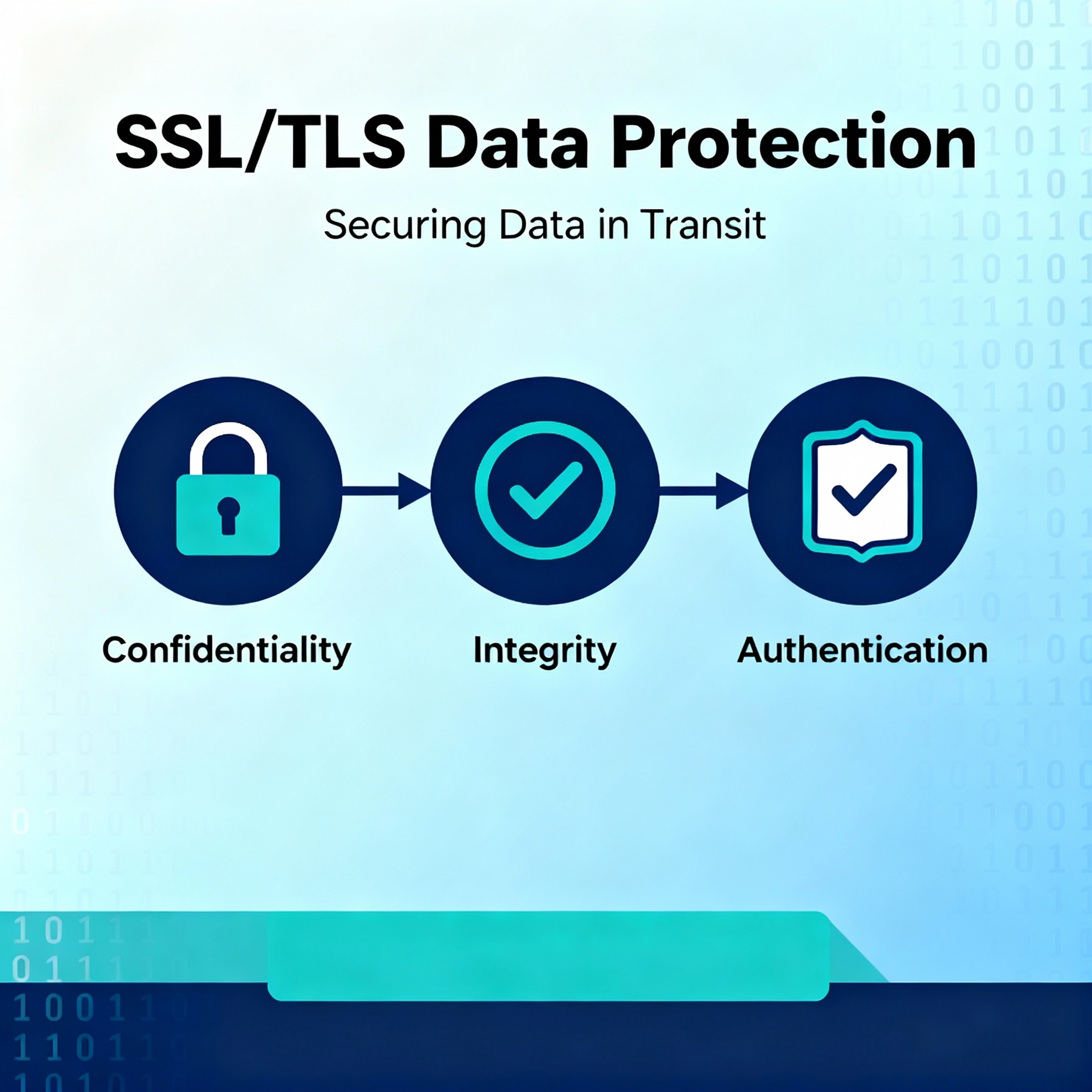
Understanding the three cryptographic pillars that make secure internet communication possible
Meta Information
Description: Learn how SSL/TLS protects data through confidentiality, integrity, and authentication. Deep dive into the cryptographic mechanisms securing internet communication.
Target Audience: IT professionals, developers, security professionals, students, network administrators
Reading Time: 12-14 minutes
Difficulty Level: Intermediate
Series Position: Part 2 of SSL/TLS Fundamentals Series
Introduction
You browse the web, send emails, and make online purchases expecting your data to be safe. But what actually happens behind the scenes to keep your information protected?
In the previous lesson, we learned that SSL and TLS create encrypted tunnels across the internet. But understanding how they protect data requires deeper knowledge. When you send data across the internet, it travels through routers owned by different ISPs, any of which could potentially intercept your information. SSL and TLS can’t prevent this interception—once data is on the wire, it’s vulnerable to capture.
What SSL and TLS can do is far more clever: they protect what gets captured.
The Three Pillars of Security:
- Confidentiality — Only intended recipients can read the data
- Integrity — Recipients can detect if data was modified
- Authentication — Both parties can verify each other’s identity
Understanding these three concepts is fundamental to grasping how SSL and TLS work. These aren’t just buzzwords—they’re distinct security properties, each enforced through different cryptographic mechanisms.
Key Takeaway: SSL and TLS don’t prevent data capture; they ensure that captured data remains secret, unmodified, and trustworthy.
The Core Security Problem
Before exploring solutions, we must understand the fundamental vulnerability of internet communication.
Data Vulnerability on the Wire
Consider a simple scenario: a client wants to send a message to a server.
The Vulnerability:
- The message travels across the internet through multiple routers
- Each router is owned and operated by a different organization
- Any organization with access to these routers can capture data passing through them
- Once data is “on the wire,” it’s out of your control
Three Attack Scenarios:
| Attack Type | What Happens | Risk Level |
|---|---|---|
| Eavesdropping | Attacker captures and reads your data | High – Personal information exposed |
| Tampering | Attacker modifies your data in transit | Critical – Data corruption, fraud |
| Impersonation | Attacker pretends to be server or client | Critical – Complete system compromise |
The False Belief: Many people think SSL/TLS prevent data capture. This is incorrect. Data capture cannot be prevented once information is transmitted across the internet.
The Actual Solution: SSL and TLS don’t prevent capture—they prevent attackers from doing anything useful with captured data.
IMAGE PLACEMENT: Diagram showing client-server communication with attacker in the middle, highlighting vulnerability points
Confidentiality—Protecting Data From Being Read
The first and most intuitive security property is confidentiality.
What is Confidentiality?
Definition: Confidentiality ensures that data should only be accessible by the intended client and server—not by anyone else, including attackers who capture the data.
In Practical Terms: If an attacker intercepts your data, they see encrypted gibberish, not readable information.
How Confidentiality Works—Encryption
Confidentiality is achieved through encryption, one of the oldest and most fundamental cryptographic tools.
The Encryption Process:
textPlain Text Message → [Encryption Algorithm] → Encrypted Data (Ciphertext)
                          ↑
                     Encryption Key
                     (secret, shared)
Key Principle: Both the client and server share a secret encryption key. This key transforms readable data (plaintext) into unreadable data (ciphertext). Only someone with the decryption key can reverse the process.
The Critical Advantage
Why This Matters:
- Attacker intercepts encrypted data on the wire
- Attacker sees only random-looking characters and bytes
- Without the encryption key, the data is useless
- Even with today’s most powerful computers, decrypting modern encryption without the key would take longer than the age of the universe
Real-World Example
Scenario: You’re logging into your bank account over HTTPS.
Without Confidentiality (HTTP):
textWhat travels on the wire (readable):
Username: john.smith@email.com
Password: MyBankPassword123!
Account: 987654321
With Confidentiality (HTTPS):
textWhat travels on the wire (encrypted):
GH7kL8pQ2xK9mN3vB5cD6fH1jW2sT4rY8uI0oP7aS
9dF2gH4jK1lM3nB7vC9xZ2aQ5sW7dF0hJ2kL4mN6pB
8rD1tF3uH5vJ7wK0yL2zM4aB6cD8eF0gH2jK4lM6nB
Analogy: It’s like sending a letter in a locked safe instead of an open postcard. Postal workers (ISPs) can handle the safe but can’t read the contents without the key.
Encryption in SSL/TLS
SSL and TLS use symmetric encryption algorithms to provide confidentiality:
Common Algorithms:
- AES (Advanced Encryption Standard) — Modern standard, very secure
- ChaCha20 — Alternative to AES, optimized for mobile devices
- 3DES — Legacy algorithm, deprecated in modern SSL/TLS
Algorithm Strength:
All modern encryption algorithms are mathematically sound. The security comes from:
- Key length (256-bit keys are standard and extremely secure)
- Algorithm resistance to attacks (constant research ensures strength)
- Proper implementation (how the algorithm is used matters as much as the algorithm itself)
Integrity—Protecting Data From Being Modified
The second security property is integrity, which is often misunderstood but equally critical.
What is Integrity?
Definition: Integrity ensures that data cannot be modified between the client and server without detection. If data is tampered with, the recipient will know.
Important Distinction: Integrity does NOT prevent modification. Instead, it enables detection of modification.
Why This Matters:
- Confidentiality keeps data secret
- Integrity keeps data trustworthy
Even if data is encrypted (confidential), an attacker could potentially modify it without understanding its contents. Integrity detects this tampering.
The Tampering Problem
Scenario Without Integrity:
Imagine an encrypted transfer of a bank wire instruction:
- Client sends encrypted message: “Transfer $100 to John’s account”
- Attacker intercepts encrypted message
- Attacker doesn’t know what it says (confidentiality works), BUT…
- Attacker randomly flips some bits in the encrypted data
- Server receives modified encrypted data
- Server decrypts it: “Transfer $100000 to John’s account” (amount changed!)
- Server has no way to know the message was tampered with
Result: Critical fraud. Confidentiality alone is insufficient.
IMAGE PLACEMENT: Diagram showing man-in-the-middle attack with data modification between client and server
How Integrity Works—Hashing
Integrity is achieved through hashing, a cryptographic function that creates a unique fingerprint of data.
The Hashing Process:
textOriginal Data → [Hash Function] → Hash Value (unique fingerprint)Key Properties of Hash Functions:
- Deterministic: Same input always produces same hash
- One-way: Can’t reverse-engineer original data from hash
- Avalanche Effect: Tiny change to input creates completely different hash
- Collision Resistant: Virtually impossible to create two different inputs with same hash
Hash-Based Integrity—Message Authentication Code (MAC)
SSL/TLS uses Message Authentication Codes (MAC) to verify integrity:
The Process:
- Client Hashes Data: Client creates hash of message using a secret key
- Send Together: Message + Hash are sent encrypted to server
- Server Receives: Server decrypts both message and hash
- Server Verifies: Server recalculates hash using its copy of secret key
- Comparison: If calculated hash matches received hash, data is untampered
- Mismatch Alert: If hashes don’t match, data was modified and connection is terminated
Example:
textMessage: "Transfer $100 to Account 123"
Secret Key: (shared between client and server)
Hash: 7F8A9B2C3D4E5F6G7H8I9J0K

Client sends: [Encrypted Message] + [Encrypted Hash]

Server receives and decrypts:
Recalculated Hash: 7F8A9B2C3D4E5F6G7H8I9J0K
Received Hash: 7F8A9B2C3D4E5F6G7H8I9J0K
Match? YES ✓ Data is authentic
How Tampering is Detected
If Attacker Modifies Data:
textOriginal Message: "Transfer $100 to Account 123"
Attacker Changes to: "Transfer $100000 to Account 456"

Original Hash: 7F8A9B2C3D4E5F6G7H8I9J0K
Hash of Modified: A1B2C3D4E5F6G7H8I9J0K1L2

Server calculates hash of received message: A1B2C3D4E5F6G7H8I9J0K1L2
Server compares to received hash: 7F8A9B2C3D4E5F6G7H8I9J0K

Match? NO ✗ Data has been tampered with!
Connection terminated, attack prevented.
Common Hashing Algorithms
| Algorithm | Hash Length | Status | Use Case |
|---|---|---|---|
| MD5 | 128-bit | Deprecated | Legacy, vulnerable, do not use |
| SHA-1 | 160-bit | Deprecated | Phased out, HMAC-SHA1 still acceptable |
| SHA-256 | 256-bit | Current Standard | Modern TLS, very secure |
| SHA-3 | Variable | Latest | Future standard, emerging use |
Modern Recommendation: Use SHA-256 or better for integrity verification.
Integrity + Confidentiality Together
Here’s why you need both:
| Property | Protects Against | Example |
|---|---|---|
| Confidentiality Alone | Eavesdropping | ✓ Hides message from attacker reading it |
| Tampering | ✗ Can’t detect if message modified | |
| Integrity Alone | Eavesdropping | ✗ Message still readable |
| Tampering | ✓ Detects message modification | |
| Both Together | Eavesdropping | ✓ Message encrypted |
| Tampering | ✓ Modification detected |
SSL and TLS use both: encryption for confidentiality and hashing for integrity.
Authentication—Verifying Identity
The third security property is authentication, which ensures both parties are who they claim to be.
What is Authentication?
Definition: Authentication validates that the client and server are indeed who they claim to be—not imposters or attackers.
The Critical Problem It Solves:
Imagine you think you’re connecting to your bank’s website, but you’re actually connecting to an attacker’s server that looks identical. Your data travels securely (confidentiality), arrives unmodified (integrity), but goes to the wrong place (no authentication).
Real-World Analogy: Before opening a safe, you verify the person asking for it is actually the owner. Authentication works similarly—it verifies identity before trusting a connection.
The Man-in-the-Middle (MITM) Attack
Without authentication, sophisticated attacks become possible:
Attack Scenario:
- Client Attempts Connection: Client wants to connect to bank.com
- Attacker Intercepts: Attacker intercepts the connection request
- False Server: Attacker’s computer pretends to be bank.com
- Secure Connection Established: Client and attacker establish encrypted connection (confidentiality + integrity work perfectly)
- Data Theft: Client sends login credentials to attacker’s server
- Attacker Relays: Attacker forwards credentials to real bank.com
- Complete Compromise: Attacker has access to real account and all client traffic
Result: Even with confidentiality and integrity, authentication failure enables complete compromise.
IMAGE PLACEMENT: Diagram showing man-in-the-middle attack with attacker between client and legitimate server
How Authentication Works—Public Key Infrastructure (PKI)
Authentication in SSL/TLS is provided through Public Key Infrastructure (PKI), a system based on digital certificates.
Core Components:
| Component | Role | Example |
|---|---|---|
| Certificate Authority (CA) | Issues and verifies certificates | Verisign, DigiCert, Let’s Encrypt |
| Private Key | Secret key held by server | Server keeps this absolutely secret |
| Public Key | Shared with clients | Available in digital certificate |
| Digital Certificate | Contains server’s public key + CA signature | Proves server’s identity |
Digital Certificates—Proof of Identity
A digital certificate is like an ID card for servers. It contains:
Certificate Contents:
- Server’s Domain Name — Who the certificate is for (bank.com)
- Public Key — Used for encryption and verification
- Certificate Authority Signature — Proof that CA verified identity
- Expiration Date — When certificate is no longer valid
- Additional Info — Organization name, location, etc.
Why This Works:
- Clients trust well-known Certificate Authorities
- CAs verify that bank.com’s application is legitimate
- CAs sign the certificate with their private key
- Client verifies the CA’s signature is authentic
- If signature is valid, certificate came from trusted CA
- If certificate came from trusted CA, server’s identity is verified
The Authentication Process in SSL/TLS
Step-by-Step Connection:
- Client Initiates Connection: Client connects to bank.com
- Server Presents Certificate: Server sends its digital certificate to client
- Client Verifies Signature: Client checks CA’s digital signature on certificate
- Signature Valid? If signature is valid, certificate came from trusted CA
- Domain Match? Client verifies certificate’s domain matches requested domain (bank.com = bank.com)
- Expiration Check? Client verifies certificate is not expired
- All Checks Pass: Client trusts it’s really talking to bank.com
- Connection Secure: Encrypted, integrity-checked, authenticated connection established
Why Certificate Warnings Matter
Browser Warning Examples:
| Warning | Meaning | Security Risk |
|---|---|---|
| “Certificate not trusted” | Signature doesn’t verify from known CA | MITM attack likely |
| “Domain mismatch” | Certificate domain ≠ requested domain | Wrong server, possible MITM |
| “Certificate expired” | Certificate’s date validity exceeded | Server failed to renew cert |
| “Invalid signature” | CA signature doesn’t verify | Forged certificate detected |
Important Rule: Never ignore certificate warnings. They indicate a real security problem that could mean you’re connecting to an attacker’s server.
Public Key Cryptography—The Magic Behind PKI
Authentication relies on an ingenious cryptographic system:
Asymmetric Encryption (Public Key Cryptography):
- Two Keys: Public key (shared) and private key (secret)
- One-Way: Public key can’t decrypt data encrypted with private key and vice versa
- Mathematical Relationship: Keys are mathematically linked but can’t derive one from the other
How It Enables Authentication:
textServer's Private Key: (secret, never leaves server)
Server's Public Key: (shared in certificate)

Server Signs Certificate with Private Key
↓
Only server's private key could create this signature
↓
Client verifies signature with server's public key
↓
Signature valid? Then only server could have created it
↓
Identity authenticated!
Analogy: Like a unique handwriting signature. Only you can create your signature. Others can verify it’s yours by comparing to known examples, but can’t forge it.
The Three Pillars in Action—A Complete Example
Let’s see all three security properties working together in a real SSL/TLS transaction.
Secure Banking Transaction Scenario
Scenario: Customer logging into online banking over HTTPS.
Without SSL/TLS (HTTP – Insecure):
textCustomer → "Username: jane@email.com Password: SecurePass123" → Bank
           [Readable, unencrypted, over the wire]

Attacker captures: "Username: jane@email.com Password: SecurePass123"
Attacker reads: Full login credentials, can access account
Result: Account compromised
With SSL/TLS (HTTPS – Secure):
| Step | Security Property | What Happens |
|---|---|---|
| 1. Client Initiates | Authentication | Bank presents certificate, client verifies bank.com identity |
| 2. Encryption Key Exchange | Confidentiality | Client and bank agree on encryption key |
| 3. Login Data Sent | Confidentiality | “Username: jane… Password:…” encrypted using agreed key |
| 4. Hash Calculated | Integrity | Hash of message created and encrypted with shared secret |
| 5. Data Travels | All Three | Encrypted message + hash traverse internet |
| 6. Attacker Intercepts | All Three | Attacker sees only encrypted gibberish, can’t extract value |
| 7. Bank Receives | Confidentiality | Bank decrypts message (only bank has key) |
| Integrity | Bank recalculates hash, matches received hash, confirms unmodified | |
| Authentication | Certificate verification already confirmed bank’s identity | |
| 8. Transaction Complete | All Three | Secure, authenticated, unmodified login succeeded |
Result: Data protected from eavesdropping, tampering, and impersonation.
Common Misconceptions About SSL/TLS Protection
Misconception #1: “SSL/TLS Prevents Data Capture”
False Belief: SSL/TLS stops attackers from intercepting your data.
Reality: Attackers can still capture data on the wire. SSL/TLS makes the captured data useless to them.
Better Understanding: SSL/TLS doesn’t prevent capture; it prevents exploitation of captured data.
Misconception #2: “A Tunnel is Actually Built”
False Belief: An actual physical or logical tunnel is built across the internet.
Reality: The “tunnel” is a conceptual model. Your data still travels through multiple routers. It’s just protected at each step through encryption and integrity checking.
Better Understanding: Think of the tunnel as a visualization tool, not a literal structure. In reality, your data is simply encrypted—protection is applied to the data itself, not the path.
Misconception #3: “SSL/TLS is Perfect Protection”
False Belief: With SSL/TLS enabled, your data is completely safe.
Reality: SSL/TLS provides strong protection against network-level attacks, but other threats remain:
- Malware on your computer
- Phishing attacks (fooling you into visiting fake sites)
- Vulnerabilities in applications
- User error (weak passwords, social engineering)
Better Understanding: SSL/TLS protects data in transit. It doesn’t protect data at rest or from application-level vulnerabilities.
Misconception #4: “Older SSL/TLS Versions Are Fine”
False Belief: All SSL/TLS versions provide equivalent protection.
Reality: Older versions have known vulnerabilities:
- SSL 3.0: POODLE attack
- TLS 1.0/1.1: Deprecated, removed from browsers
- TLS 1.2: Current acceptable standard
- TLS 1.3: Newest, faster, more secure
Better Understanding: Always use TLS 1.2 or TLS 1.3. Older versions should be disabled.
Putting It All Together—Why All Three Are Necessary
Each of the three security properties protects against specific threats:
Why Confidentiality Alone Isn’t Enough
Scenario: Only encryption, no integrity checking or authentication
Attack Possible:
- Attacker intercepts encrypted banking transaction
- Attacker doesn’t know what data says (confidentiality works)
- Attacker randomly modifies encrypted data
- Bank receives modified encrypted data
- Bank decrypts to find transaction corrupted or altered
- No way to detect attack happened
Lesson: Encryption protects from reading, not modification.
Why Integrity Alone Isn’t Enough
Scenario: Only hash verification, no encryption or authentication
Attack Possible:
- Attacker intercepts unencrypted transaction with hash
- Attacker reads the transaction (no confidentiality)
- Attacker creates modified version with new hash
- Bank verifies new hash matches modified transaction
- Attack succeeds—attacker modified data and updated hash
Lesson: Hashing works only if both data and hash are encrypted.
Why Authentication Alone Isn’t Enough
Scenario: Only identity verification, no encryption or integrity checking
Attack Possible:
- Attacker verifies they’re talking to the real bank
- But attacker intercepts and reads all traffic (no confidentiality)
- Attacker modifies transaction details (no integrity)
- Everything is authenticated but compromised
Lesson: Knowing who you’re talking to doesn’t protect the conversation.
All Three Together—Complete Protection
Complete SSL/TLS Protection:
- Confidentiality protects from eavesdropping
- Integrity protects from tampering
- Authentication protects from impersonation
- Together: Data is secret, trustworthy, and from the right source
The Cryptographic Tools Behind Security
SSL/TLS implements three security properties using different cryptographic techniques:
Confidentiality → Encryption
Tool: Symmetric encryption algorithms
Examples: AES-256, ChaCha20
How It Works: Same key encrypts and decrypts data
Strength: Very fast, computationally efficient
Use in TLS: Protects actual data transfer after connection established
Integrity → Hashing
Tool: Cryptographic hash functions
Examples: SHA-256, HMAC-SHA256
How It Works: Creates unique fingerprint of data
Strength: One-way function, impossible to reverse
Use in TLS: Detects modification of encrypted messages
Authentication → Public Key Cryptography
Tool: Asymmetric encryption + digital certificates
Examples: RSA, ECDSA, X.509 certificates
How It Works: Public/private key pairs enable verification
Strength: Mathematical proof of identity
Use in TLS: Verifies server identity during handshake, enables secure key exchange
Integration in TLS:
These three tools work together seamlessly. During the TLS handshake, public key cryptography verifies identity and exchanges encryption keys. Once connection is established, symmetric encryption provides confidentiality and hashing provides integrity for actual data transfer.
Real-World Impact of Each Security Property
Confidentiality in the News
Without Confidentiality: In 2013, Edward Snowden revealed that governments were intercepting unencrypted internet traffic. Millions of unencrypted messages, emails, and web browsing data were being captured and analyzed.
With Confidentiality (HTTPS): Encrypted traffic cannot be read even by sophisticated government agencies without the encryption keys.
Lesson: Confidentiality prevented mass surveillance of encrypted communications.
Integrity in the News
Attack Example: In 2015, researchers demonstrated that unencrypted WiFi could be modified using WiFi Pineapple attacks. Attackers could inject malicious code into websites by modifying unencrypted traffic.
With Integrity: Hash verification would have immediately detected any modification, and the connection would be terminated.
Lesson: Integrity detection is critical especially on public WiFi.
Authentication in the News
Attack Example: In 2015, multiple secure websites were compromised by fake SSL certificates issued to attackers. Users connected to attacker servers believing they were legitimate sites.
With Proper Authentication: Modern browsers validate certificates and warn users of certificate mismatches or invalid signatures.
Lesson: Certificate verification prevents sophisticated impersonation attacks.
Key Takeaways
- SSL/TLS Don’t Prevent Capture: Data can still be intercepted on the internet. SSL/TLS protect captured data from being useful to attackers.
- Three Security Properties Required:
- Confidentiality: Only intended recipients can read data (encryption)
- Integrity: Recipients detect if data was modified (hashing)
- Authentication: Both parties verify each other’s identity (PKI)
- Each Uses Different Cryptography:
- Encryption provides confidentiality
- Hashing provides integrity
- Public key infrastructure provides authentication
- All Three Are Necessary: Removing any one compromises the entire system. Encryption alone, hashing alone, or certificates alone are insufficient.
- The “Tunnel” is Conceptual: In reality, data is protected through encryption and verification, not through a literal tunnel.
- Protection at Network Level: SSL/TLS protect data in transit across networks. They don’t protect data at rest, on endpoints, or from application-level vulnerabilities.
- Strong Implementation Matters: The cryptographic algorithms are sound. Security depends on proper implementation, strong keys, and current protocol versions (TLS 1.2 or 1.3).
- Trust Chain is Critical: Authentication works because we trust Certificate Authorities. Compromised CAs or fake certificates undermine the entire trust system.
Practical Implications for IT Professionals
Security Auditing
- Verify TLS 1.2 or higher is used
- Confirm confidentiality with strong encryption (AES-256 minimum)
- Verify integrity checking is enabled (HMAC-SHA256 or better)
- Audit certificate validity and CA trust
Troubleshooting
- Certificate errors indicate authentication failure—investigate before proceeding
- Hash mismatches indicate potential tampering—terminate connection
- Weak encryption indicates confidentiality risk—upgrade SSL/TLS version
System Configuration
- Disable old SSL/TLS versions (3.0, 1.0, 1.1)
- Configure strong cipher suites
- Implement proper certificate management and renewal
- Monitor certificate expiration dates
User Communication
- Explain why certificate warnings shouldn’t be ignored
- Educate users that HTTPS indicates security
- Clarify that SSL/TLS protects network security, not endpoint security
- Advise strong passwords (TLS doesn’t prevent brute force attacks)
Beyond Confidentiality, Integrity, and Authentication
SSL/TLS also provide two additional security properties often discussed together with these three:
Non-Repudiation (Brief Introduction)
Definition: Neither party can deny having sent or received a message.
How It Works: Digital signatures prove who sent a message (covered in advanced TLS topics)
Note: This is often discussed alongside CIA (Confidentiality, Integrity, Authentication), forming “CIANA” or similar frameworks.
Forward Secrecy
Definition: Even if a server’s private key is compromised, past sessions remain protected.
How It Works: Session keys are generated temporarily and deleted after use
Importance: Protection against future key compromise
Modern TLS Versions: TLS 1.3 includes forward secrecy by default
Conclusion
SSL and TLS don’t create magical tunnels that prevent data interception. Instead, they apply three complementary security properties to the data itself:
- Confidentiality ensures captured data cannot be read
- Integrity ensures recipients detect tampering
- Authentication ensures connection is to the right party
These three properties, implemented through encryption, hashing, and public key cryptography respectively, work together to provide the security we rely on for every encrypted internet connection.
Understanding these three pillars transforms SSL/TLS from mysterious “security magic” to a logical system of complementary protections. Each addresses a specific threat, and each requires the others to form a complete security solution.
For IT professionals, developers, and security practitioners, this knowledge is essential. It enables you to understand vulnerabilities, configure systems properly, troubleshoot security issues, and make informed decisions about cryptographic implementations.
The next step in your SSL/TLS journey is understanding the cryptographic algorithms in detail—how encryption actually works, how hashing provides integrity, and how public key infrastructure proves identity.
Additional Resources and Next Steps
To Deepen Your Understanding:
- Study symmetric encryption algorithms (AES, ChaCha20)
- Learn about hash functions and collision resistance
- Explore public key cryptography and digital signatures
- Understand certificate chains and trust hierarchies
Practical Exercises:
- Inspect certificates on websites you visit
- View SSL/TLS connection details in browser developer tools
- Calculate hashes of files and verify integrity
- Set up TLS on a test web server with strong configuration
Certifications Featuring These Concepts:
- CompTIA Security+
- CompTIA Network+
- Certified Information Systems Security Professional (CISSP)
- Certified Ethical Hacker (CEH)
Key Concepts to Master Next:
- RSA encryption and key generation
- Elliptic Curve Cryptography (ECC)
- Digital signatures and verification
- Certificate Authority operations
- TLS handshake process in detail